

Connect a directory for owner lookup
Use Settings › Identity Providers to read your employee directory, so OpenLatch can work out who owns each agent and where they sit in your organization. The connection is read-only and is not used for sign-in; sign-in is Set up single sign-on. You need the admin role or higher to change it.
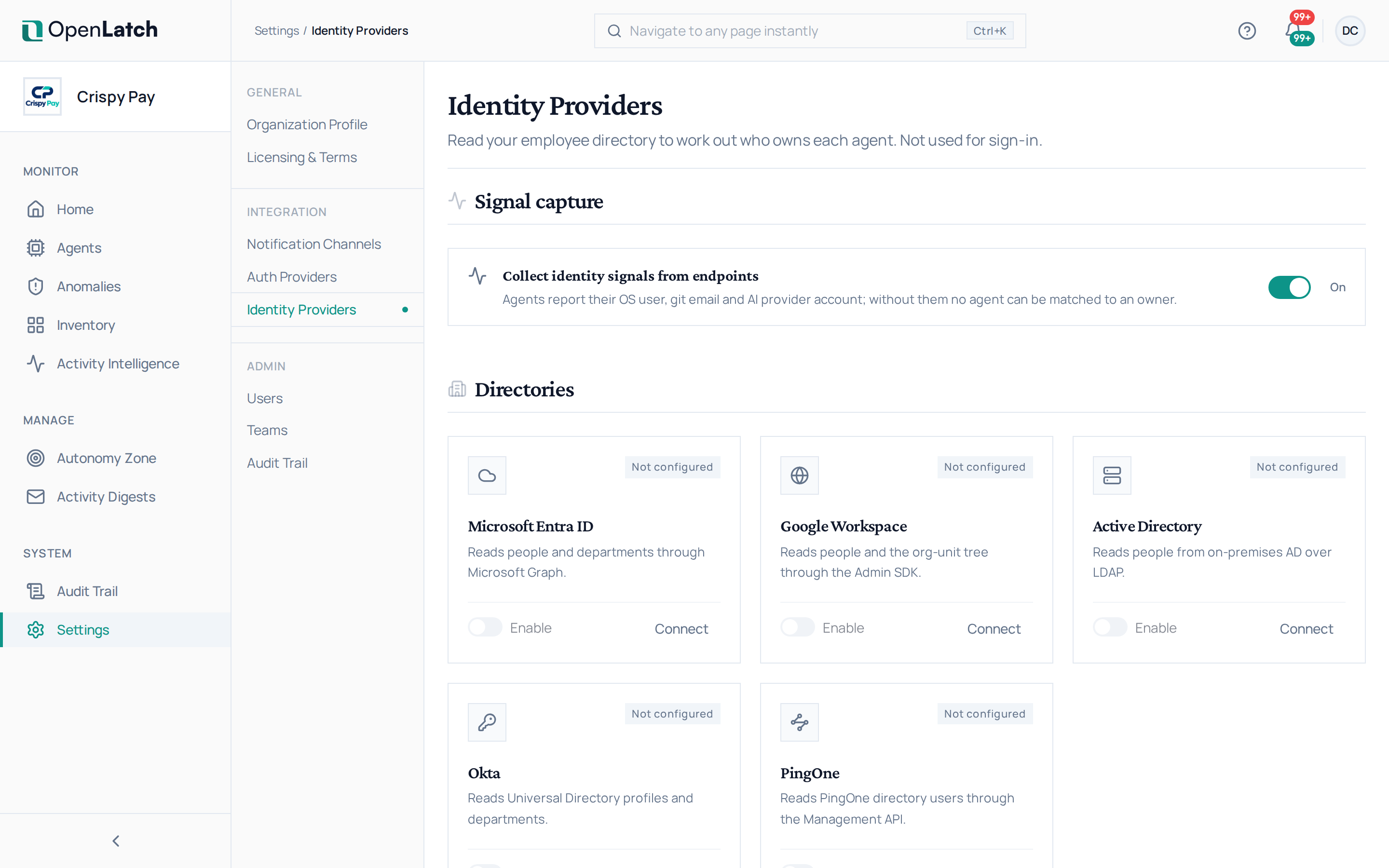
Ownership is matched from two sides, and both must be present:
| Side | What it provides | Where |
|---|---|---|
| Signal capture | The machines report the signals that identify who is working: the operating system user, the git email and the AI provider account | The switch Collect identity signals from endpoints, on by default |
| Directories | The directory turns those signals into a named person, with their job title and their place in the organization | The directory cards |
With signal capture off, no agent can be matched to an owner, however well the directory is connected.
Connect a directory
Section titled “Connect a directory”- Open Settings › Identity Providers.
- Choose the card of your directory: Microsoft Entra ID, Google Workspace, Active Directory, Okta or PingOne. Each is a read-only source: none creates users in OpenLatch, and none copies the directory into it.
- Follow the drawer’s steps to grant OpenLatch read access in your directory, then save. If the directory is missing a permission OpenLatch needs, the card says which one.
- Check the result on an agent you know: its Identity tab should name its owner. See Find and read an agent.
An organization with no directory connected is a supported state. An agent whose owner cannot be resolved is recorded as unattributed rather than guessed, and an editor can set its owner by hand from its Identity tab.
What the directory also gives you
Section titled “What the directory also gives you”The directory’s units form the tree of your organization on the Autonomy Zone page, and each agent sits by default in its owner’s unit. A unit that comes from the directory keeps the directory’s name and place, and is updated on each sync; the Autonomy Zone you put on it stays yours. See Manage Autonomy Zones.
Disconnect a directory
Section titled “Disconnect a directory”Disconnecting a directory removes its connection, its stored credentials and the people it resolved. Agents matched through it lose their owner until another directory resolves them.
The address /settings/directory-sync is an earlier name of this page and opens it.