

Track an agent's spend
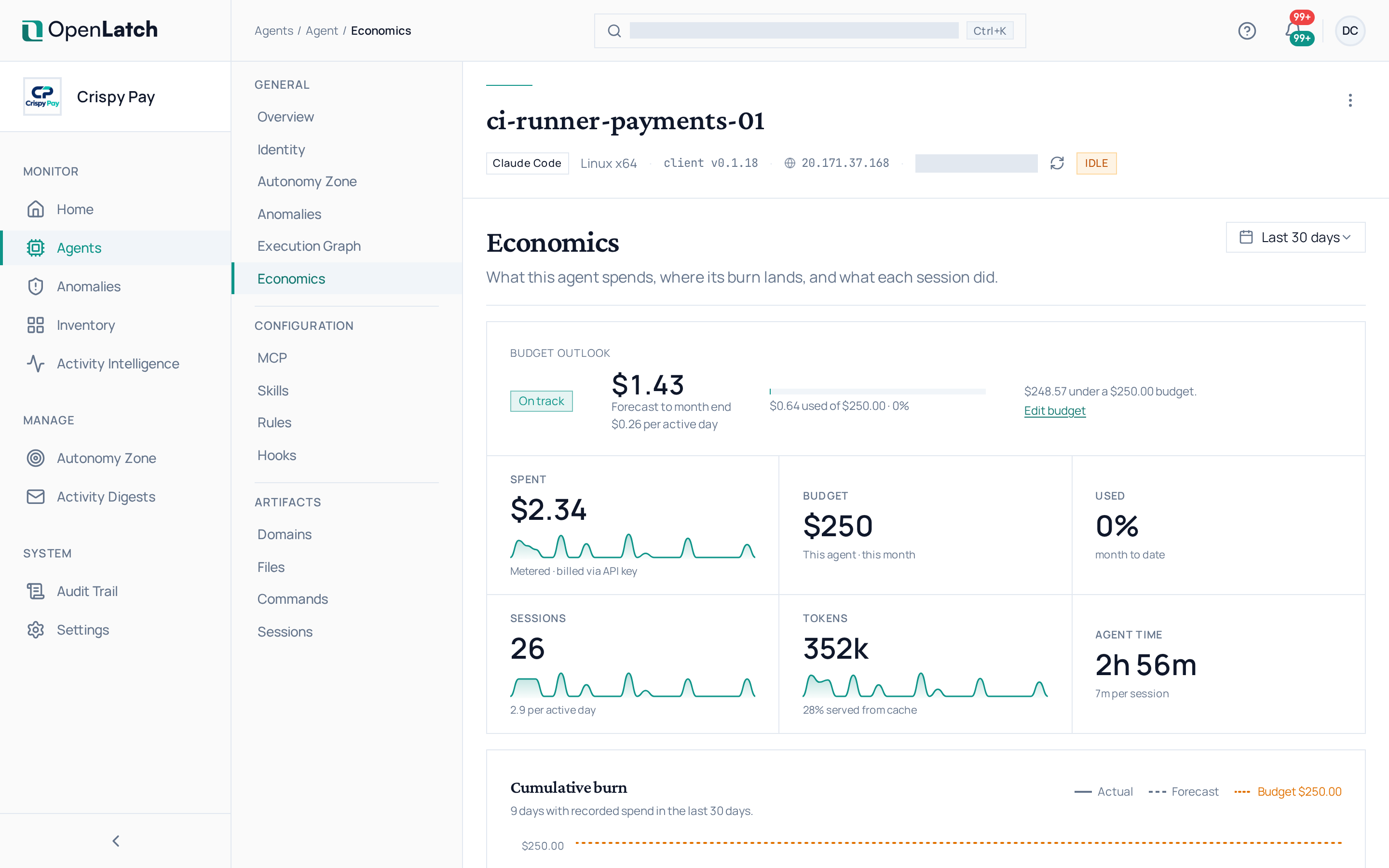
Use an agent’s Economics tab to see what it spends on models, where that spend lands, and what each session did for it. Every role can read it; setting a budget needs the admin role or higher.
Read the spend
Section titled “Read the spend”| Section | What it shows |
|---|---|
| Spend | What the agent spent over the window. Spend billed through an API key is metered; spend under a subscription is estimated, and labelled so |
| Budget outlook | How the month’s spend compares with the agent’s budget |
| Cumulative burn | The actual spend to date, projected to the end of the period |
| Cost by model | How the spend divides between the models the agent used |
| Share of input served from cache | How much of the agent’s input the model provider served from its cache |
| Sessions | Each session with its cost, its duration and the tools it used. A session still running shows a running total, not a final figure |
Model requests and responses are never sent to OpenLatch; spend comes from the token counts, the model used and the cache split the client records. See Data handling and security. Where the price of a model is unknown, the tab says that some spend is missing from its figures.
Set a budget
Section titled “Set a budget”- On the Economics tab, open the agent’s monthly budget.
- Enter the amount for the month and save it. The budget resets on the first of each month; nothing carries over.
An agent without a budget of its own uses your organization’s default monthly budget, set in Settings › Organization Profile. The default applies to each such agent separately: a default of $500 gives each agent $500 a month, not $500 shared. See Edit the organization profile.